Setup Slide Recommendation
Slide recommendations are useful for highlighting specific sections of slides in a template, that you want to encourage the user to include when creating their slide deck.
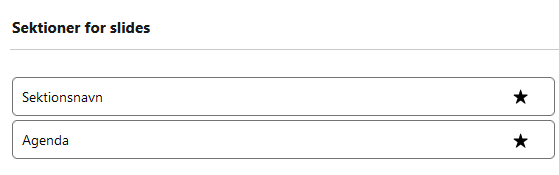
Visually, recommendations will be presented to the user as shown in the image below. When the user selects the specific slides that they want to be included in their slide deck, they look through the available sections of slides. The recommended slide sections will have a star attached, and optionally, a text when hovering on the star which describes the recommendation of that section.
How to create slide recommendations
Slide recommendations are created through apex code, using dependency injection with the Callable interface.
The example below shows how a possible implementation of the Callable interface for Present Slide Recommendation can be created.
The action getRecommendations must be implemented, and included as a case in the call implementation. getRecommendations returns a Map<Id, String> where the Id's are Id's of andmoney__Template_Section__c records that should be recommended, and the String is the tooltip for the recommendation.
Notice in the code example above that (List<String>) args.get('sections') is given as input to the method. This list contains Id's of all andmoney__Template_Section__c records in the org. It is then advised to use these section Id's and the recordId to query the specific sections that should be recommended to the user.
The Map returned in the implementation will then be used by the Present solution to add the recommendations.