How to upload new templates / deactivate old templates
This article shows you how to upload new templates in Present.
Before you start
Make sure that:
The latest Present package is installed in your org
Make sure all steps are completed in technical details.
Uploading a new template in Present
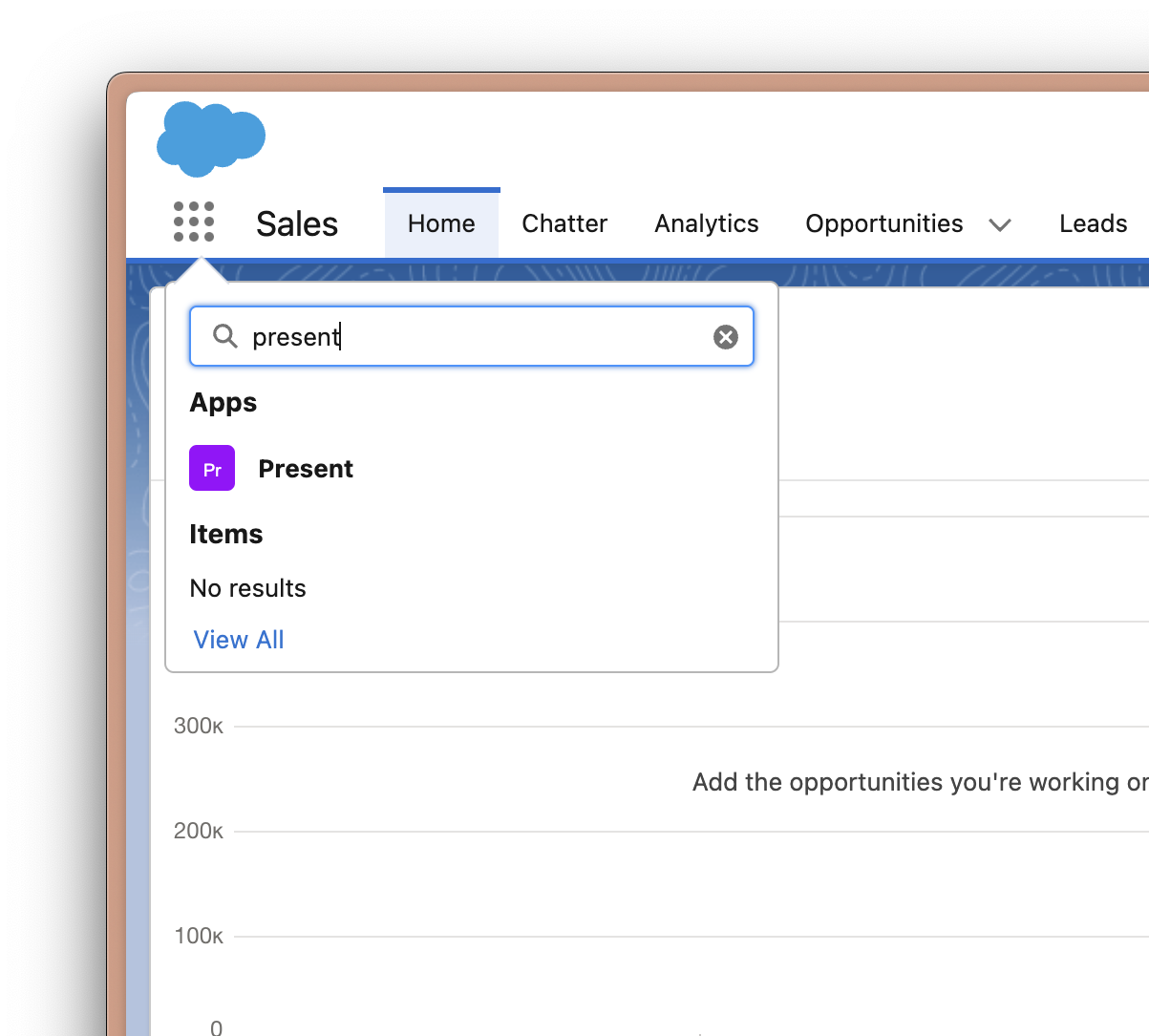
Go to the Present app in Salesforce.
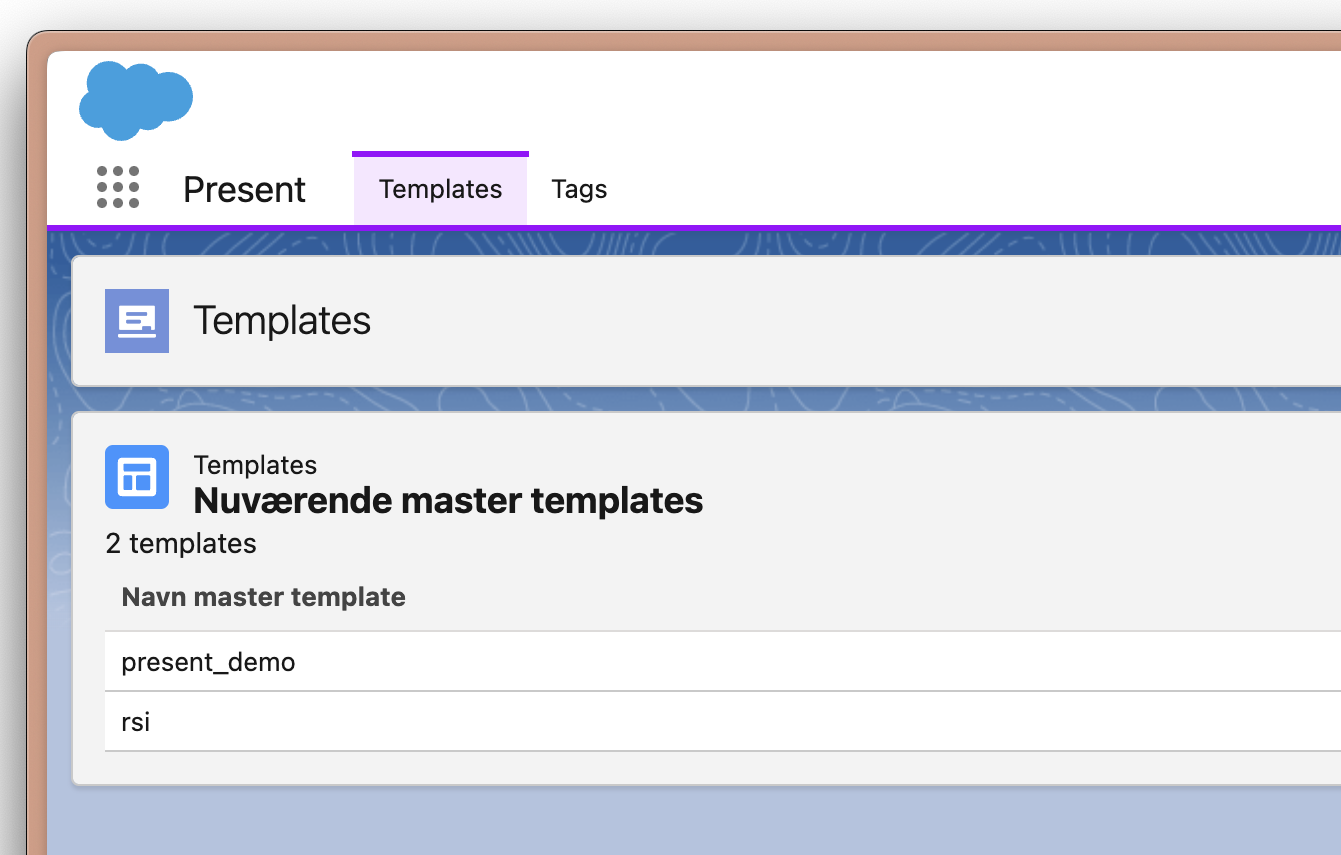
Go to the 'Templates'-tab.
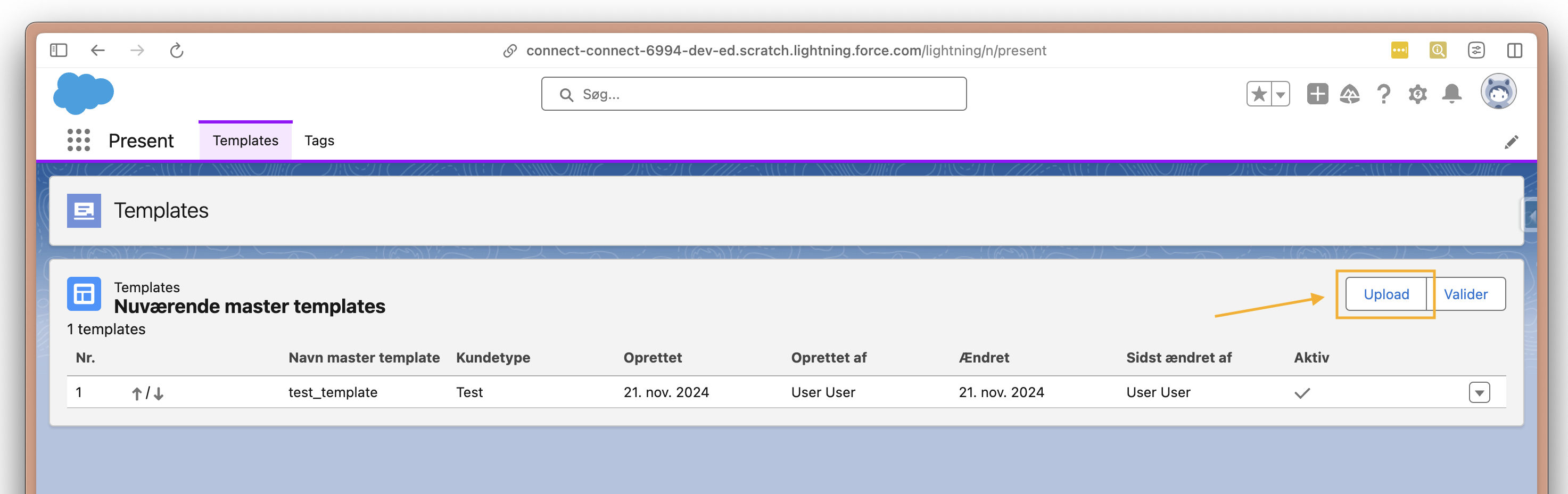
Click the upload button.
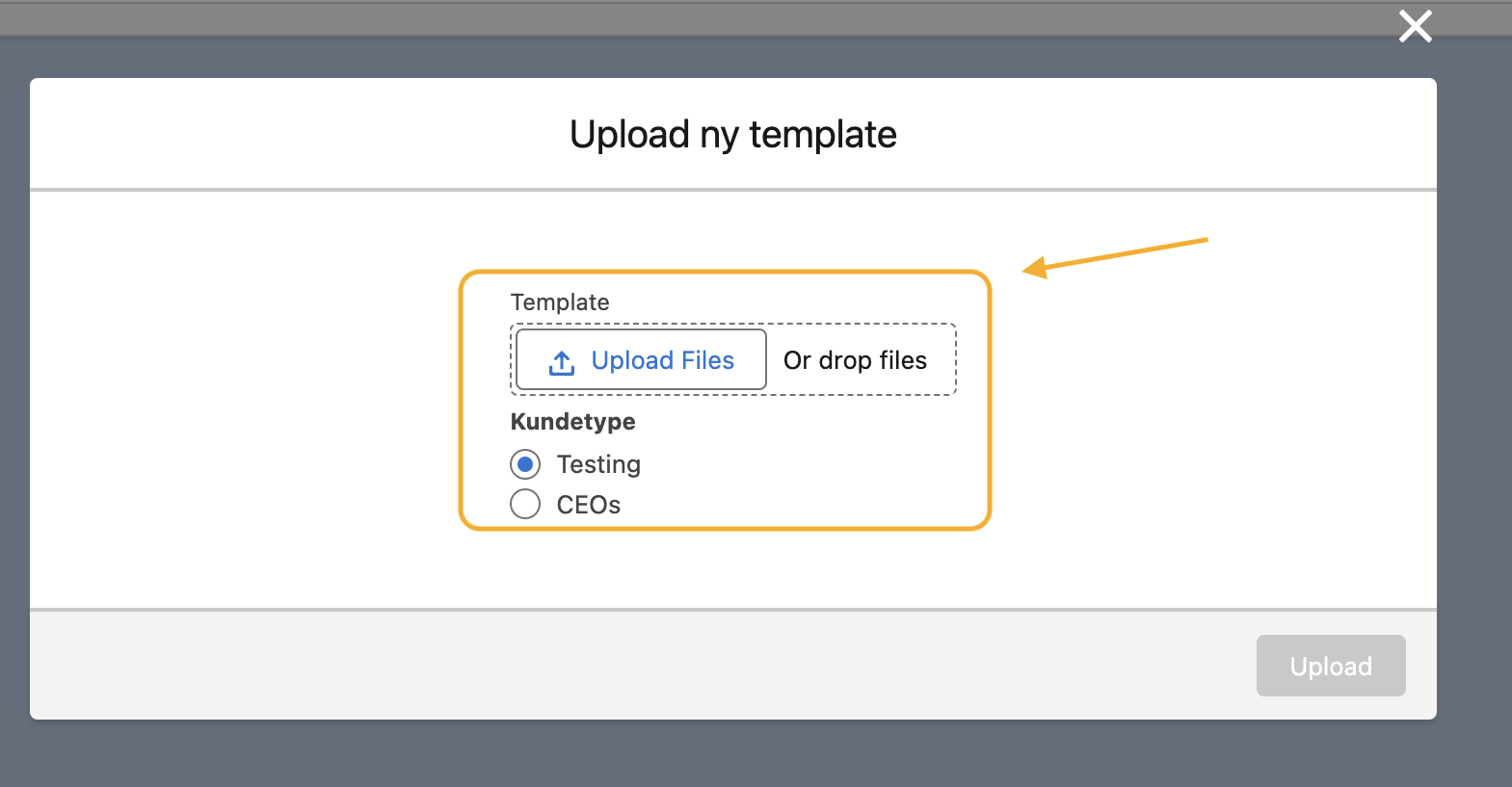
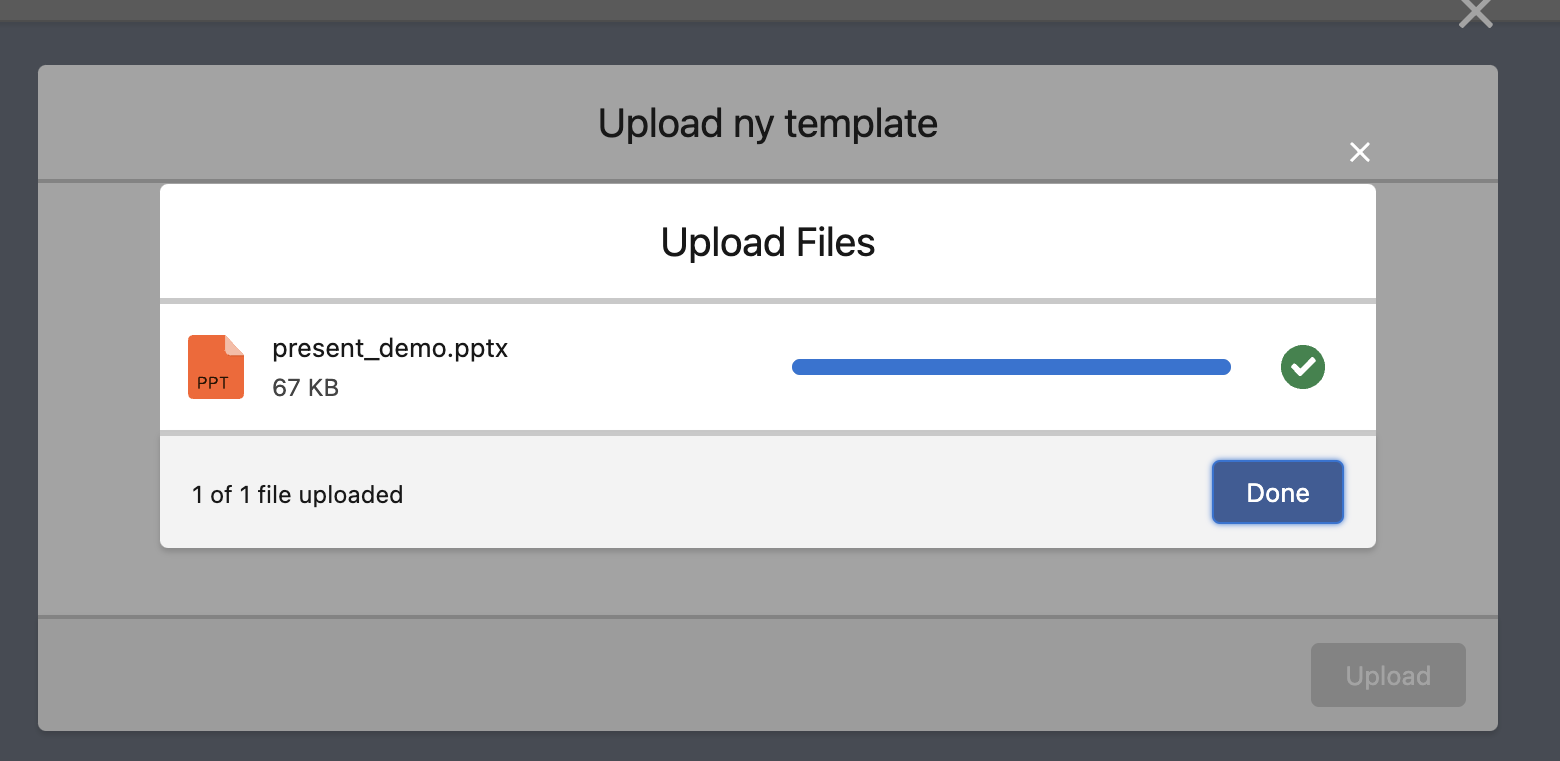
A dialog will prompt you to upload a new template.
When upload is finished click 'Done'.
Now select an appropriate customer type (Kundetype).
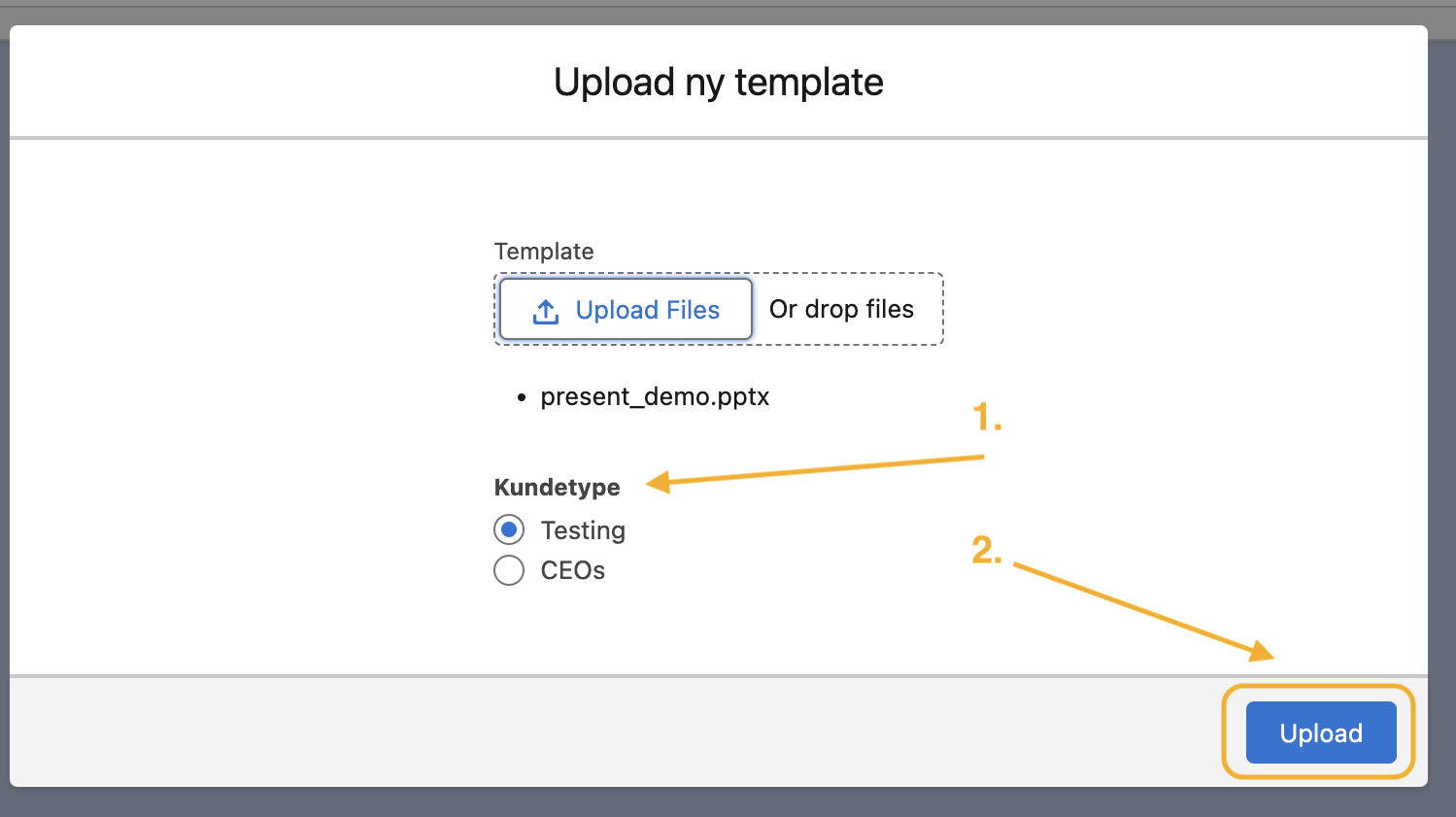
Select customer type (Kundetype) and click upload.
Deactivate old templates
You can deactivate/archive old templates in Present. This will keep your templates' metadata when deactivating templates used in reporting. This feature allows you to deactivate templates, but keep the metadata of a template but no longer want to use.
Go to the Present app in Salesforce.
Go to the 'Templates'-tab.
Click the arrow button next to the uploaded template.
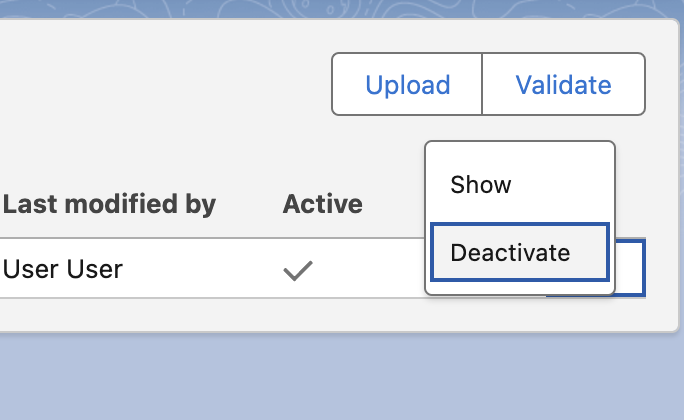
Click "Deactivate", and the template will be deactivated.