Tag mapping is useful for mapping data from salesforce objects to the tags that are used throughout the uploaded templates. It is possible to map fields and nested fields from Account, Contact, and Event to the tags in templates.
Tag mapping in Present
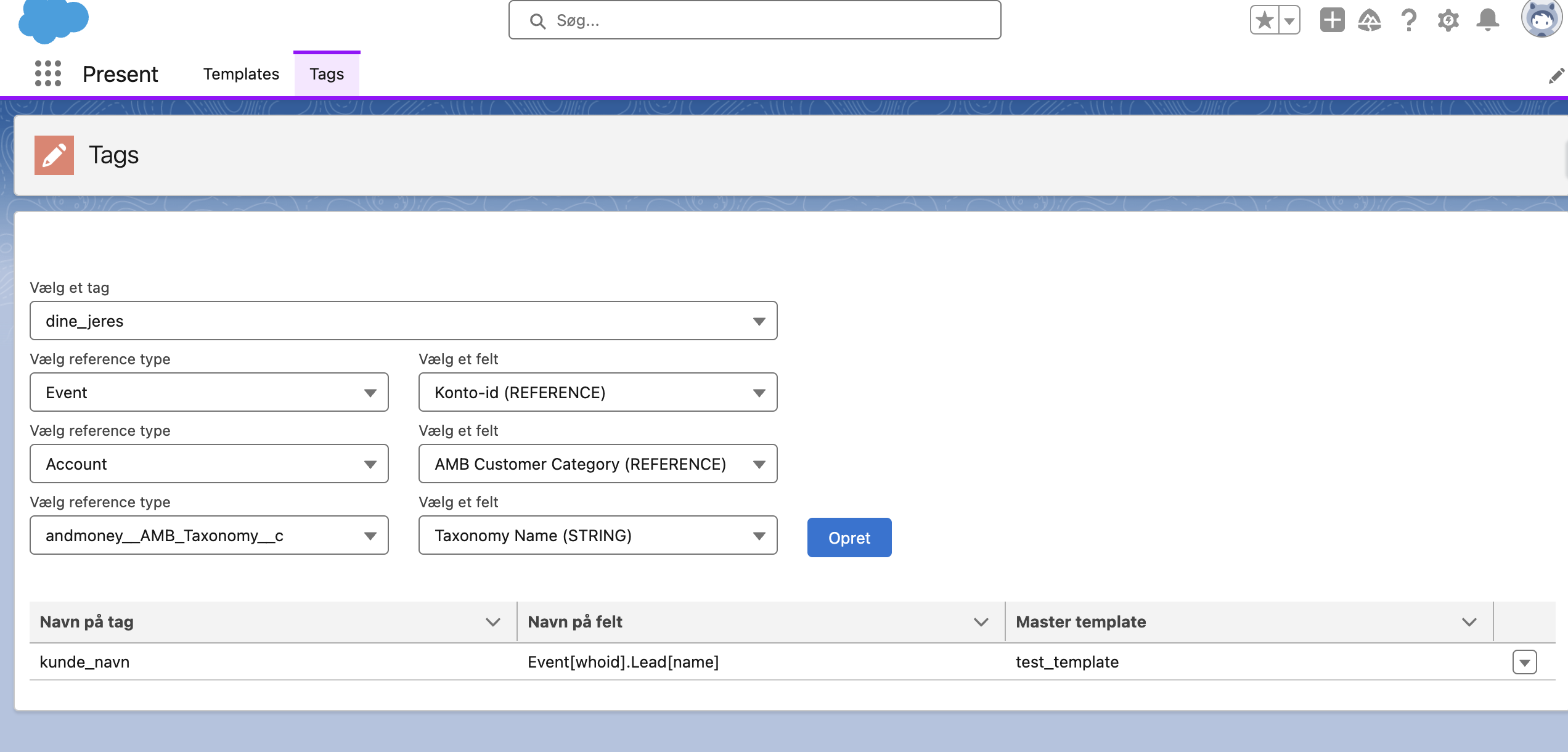
To start mapping between tags and SObject fields, go to the Present Lightning app and select the Tags section. This will lead you to the following page:
Select a tag from the first field. From this input, any tag used in one of the uploaded templates can be selected.
Select an SObject. This can be Account, Contact, and Event, or from the built-in custom SObject (Specific).
Select a field from the chosen SObject.
If the field is a reference type, you can select a nested field from the reference object.
Click the 'Create' button.
If the tag mapping is successfully created, it will now be shown in the list of tag mappings below. The list also shows which master templates the tags are used within.
A single tag can be used across multiple different templates.